
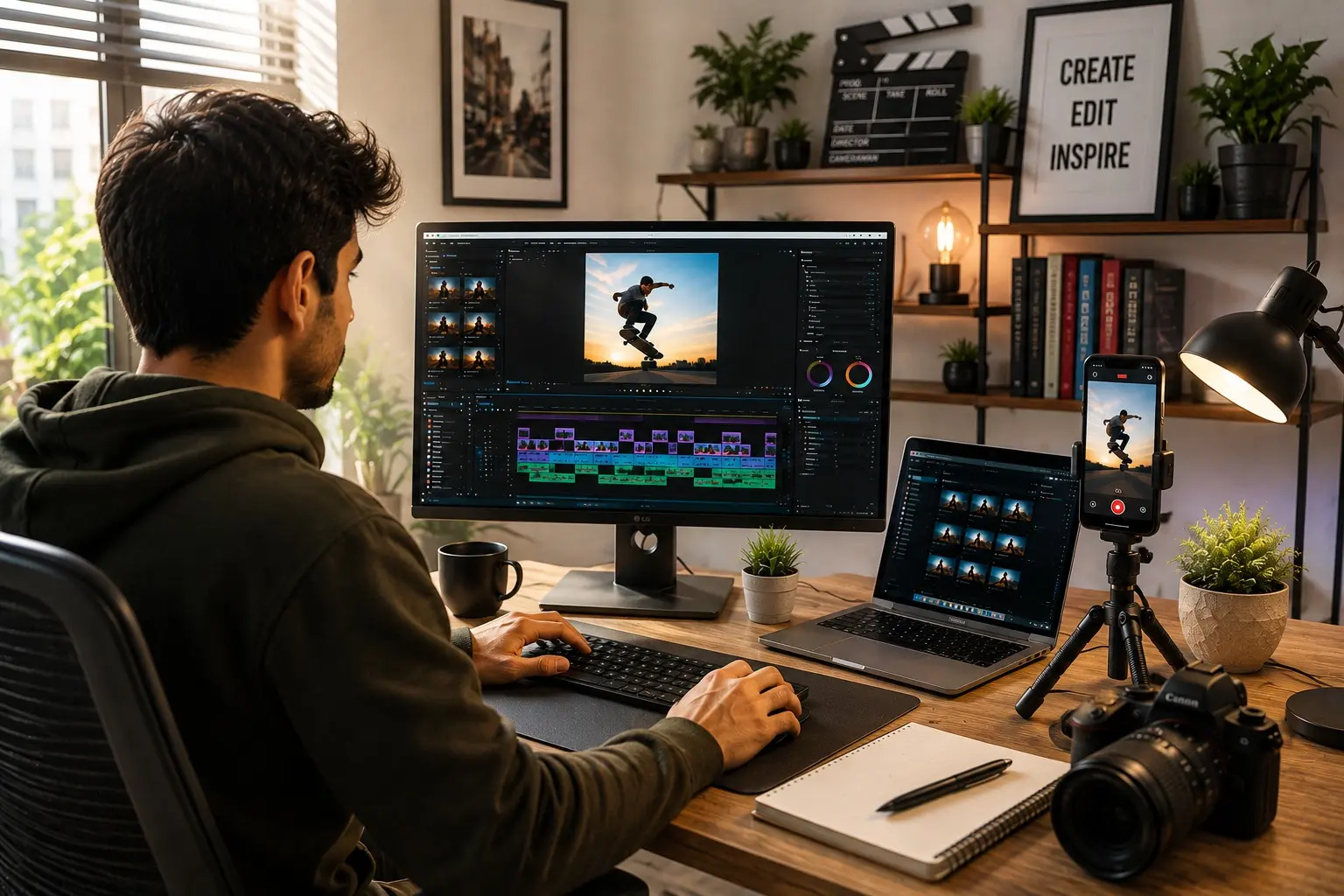
From Instagram Reels to YouTube Shorts – Build a Creative Career in the Digital World Just open Instagram, YouTube, or Facebook, and you’ll probably spend the next few minutes watching one short video after another. A cooking tip, a travel vlog, a product review, a funny meme, or a quick design tutorial—short videos have become part of our daily lives. But here’s something many people don’t realize: Behind every successful Reel or YouTube Short is a skilled creator, video editor, designer, or digital marketer. As more businesses move online, the demand for professionals who can create engaging short-form videos is growing faster than ever. What started as entertainment has now become a serious career option for students, freelancers, and creative professionals. What Exactly is Short-Form Video? Short-form videos are videos that usually last 15 seconds to 3 minutes. They’re quick, engaging, and designed to grab attention instantly.You’ll find them on platforms like: Instagram Reels YouTube Shorts Facebook Reels TikTok LinkedIn Video People prefer short videos because they’re easy to watch, easy to share, and often provide useful information in just a few seconds. Why Are Companies Investing So Much in Short Videos? Think about the last time you searched for a product online. Did you read a long article first? Probably not. Most people now watch a short video before making a decision. Whether it’s a mobile phone, a restaurant, a fashion brand, or even an educational course, videos help people understand products much faster. That’s exactly why businesses are creating fresh video content almost every day. And when businesses create more videos… They need more creative professionals to produce them. One Trend, Many Career Opportunities The rise of short-form video isn’t just helping influencers—it has opened doors for thousands of creative careers.1. Video EditorIf you enjoy editing videos, adding music, transitions, captions, and visual effects, this is one of the most in-demand skills today. Businesses, YouTubers, educational institutes, and influencers are always looking for skilled editors who can transform simple clips into engaging content. 2. Content Creator You no longer need expensive cameras or a TV channel to become a creator. Today, people are building successful careers by sharing: Educational tips Fitness advice Food reviews Travel experiences Technology updates Business knowledge Many creators earn through brand collaborations, sponsorships, affiliate marketing, and platform monetization. 3. Social Media Manager Every business wants an active social media presence. A Social Media Manager doesn’t just post content—they plan ideas, create campaigns, coordinate video production, and analyze what works best. It’s a great career for people who enjoy creativity along with strategy. 4. Motion Graphics Designer Have you noticed animated text, smooth transitions, or eye-catching effects in Reels? That’s the work of Motion Graphics Designers. These professionals make videos look more dynamic and professional, making brands stand out on social media. 5. Digital Marketing Professional Creating a great video is only half the job. Digital marketers make sure those videos reach the right audience. They plan advertising campaigns, improve engagement, and help businesses generate sales through video content. 6. Freelance Video Editor One of the biggest advantages of learning video editing is the freedom to work from anywhere. Many editors today work with: International clients YouTubers Influencers Marketing agencies Startups With a strong portfolio, you can even build a full-time freelance career. 7. UGC Creator Brands now prefer authentic videos over traditional advertisements. That’s why User-Generated Content (UGC) creators are in high demand. They create natural-looking videos that feel more like personal recommendations than advertisements, helping brands build trust with customers. Skills That Can Make You Stand Out If you’re planning to build a career in this field, learning these skills will give you an advantage: Professional Video Editing Storytelling Motion Graphics Graphic Design Camera Handling Mobile Videography Audio Editing Social Media Marketing AI Tools for Content Creation The more practical experience you gain, the more opportunities you’ll have. The Best Part? Every Industry Needs Video Creators Earlier, video editing was mostly associated with television and films. Today, almost every industry uses short-form videos, including: Education Healthcare Fashion Real Estate Travel Food & Hospitality E-commerce Corporate Companies Startups Advertising Agencies This means your skills can be valuable in many different fields. Why Students Should Learn This Skill For students, short-form video creation is more than just a hobby. It can become a career even before graduation. You can: Start freelancing while studying. Build your own personal brand. Work with clients from different countries. Earn extra income through projects. Create a strong portfolio for future job opportunities. It’s a practical skill that combines creativity, technology, and communication. Short-form videos have changed the way people consume content—and they’ve also changed the job market.Every Reel, Short, or promotional video you see online represents an opportunity for someone behind the scenes.Whether you’re passionate about editing, designing, storytelling, or digital marketing, this field offers exciting career possibilities with room to grow.The demand for creative professionals will only continue to increase. So if you’ve been thinking about building a career in the creative industry, now is the perfect time to start learning the skills that businesses are actively looking for. At CCA Chinchwad (formerly known as Cosmos Creative Academy), learning goes beyond classroom theory. It focus on practical, industry-oriented training that prepares students for real creative careers. From Graphic Design, Video Editing, Motion Graphics, and Social Media Content Creation to AI-powered creative tools, portfolio development, and live industry projects, every course is designed to build job-ready skills. With experienced mentors, hands-on assignments, and career-focused guidance, students graduate with the confidence, creativity, and professional expertise needed to succeed in today’s fast-growing digital media industry. Take the first step today and turn your passion into a profession with CCA Chinchwad—because creativity has no limits, and neither should your ambitions.With Cosmos Creative Academy Chinchwad, Your future in design and animation starts today.Because in the creative world, your skills speak louder than your marks.Explore our courses ↗Cosmos Creative Academy · Chinchwad, Pune · cosmoscreativeacademy.in Contact Us 📍 Cosmos Creative Academy, Chinchwad P-430/431, Phase
Typography Basics Every Graphic Designer Should Know
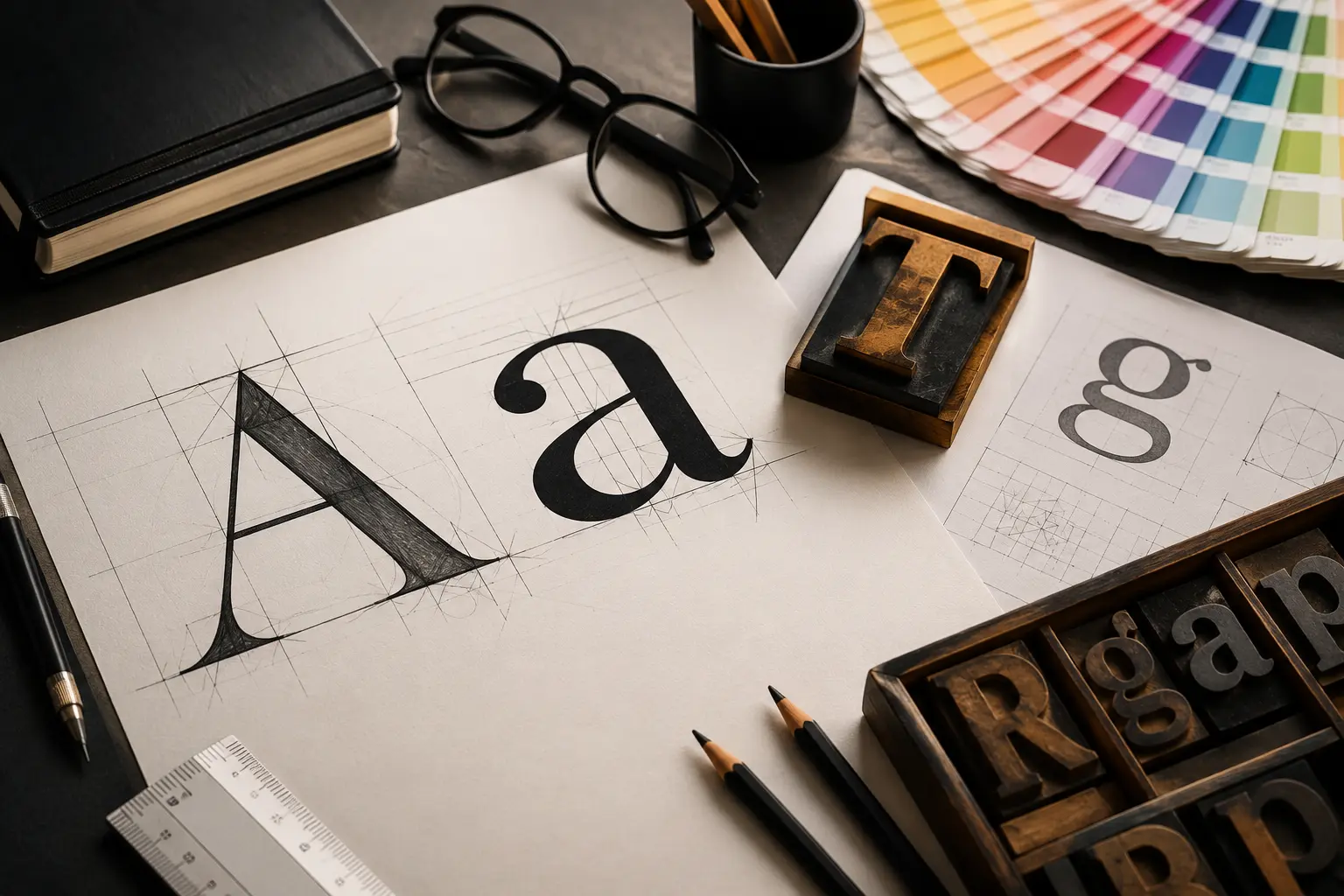
Typography Basics Every Graphic Designer Should Know When you look at a poster, Instagram post, logo, advertisement, website, or brochure, what catches your attention first? Sometimes it is the image. Sometimes it is the colour. But very often, it is the text. The way text looks, feels, and fits into a design can completely change how people understand it. This is where typography comes in. Typography is much more than simply choosing a font. It is about selecting the right typeface, size, spacing, alignment, and arrangement of text to make a design clear, attractive, readable, and visually meaningful.For a graphic designer, understanding typography is one of the most important graphic design fundamentals to learn.So, let us understand the basics of typography in a simple way. What is Typography? Typography is the art and technique of arranging text in a visually effective way.It includes everything from: Choosing a font Selecting the right font size Adjusting letter and line spacing Creating a clear text hierarchy Aligning text properly Combining different fonts Making content easy to read For example, imagine a poster with a beautiful image but tiny, poorly arranged text. Even though the image looks good, the overall design may not communicate the message effectively.Good typography helps the viewer understand what to read first, what is important, and what information comes next.That is why typography is an important part of visual communication. 1. Understand Fonts and Typefaces One of the first things every beginner in graphic design should understand is the difference between font and typeface.A typeface is the overall design or family of letters, while a font generally refers to a particular style, weight, or size within that typeface.As a designer, you will come across many different styles of typefaces.Serif FontsSerif typefaces have small decorative strokes at the ends of letters. Tradition Elegance Trust Professionalism They are commonly seen in books, newspapers, magazines, and formal branding.Sans Serif FontsSans serif typefaces do not have decorative strokes.They usually look: Clean Modern Simple Minimal They are widely used in websites, apps, advertisements, presentations, and modern branding.Script FontsScript fonts are inspired by handwriting or calligraphy.They can add personality and creativity to a design, but they should be used carefully because some script fonts can be difficult to read.Display FontsDisplay fonts are designed to attract attention.They work well for: Posters Headlines Campaigns Social media graphics Creative advertisements A good graphic designer knows when and where to use each type of font. 2. Font Size Matters Choosing a beautiful font is not enough.You also need to choose the correct font size.Imagine a poster where the headline, subtitle, and body text are all the same size. The viewer may not know where to start reading.This is why designers use different font sizes to create a visual hierarchy.Main Heading – Large Subheading – Medium Body Text – Smaller This immediately tells the viewer what information is most important. Font size should also depend on where the design will be used. A social media post, billboard, brochure, website banner, and business card may all require different typography choices. 3. Learn About Font Weight Font weight refers to how thick or thin the letters appear.Common weights include: Light Regular Medium Semi Bold Bold Extra Bold Font weight is useful for creating emphasis. For example, a designer might use Bold for a headline and Regular for supporting information. But using too many bold fonts can make a design look heavy and confusing. The goal is to create balance and hierarchy, not simply make everything stand out. 4. Understand Kerning Kerning means adjusting the space between individual letters. Some letter combinations may naturally appear too close or too far apart. A designer can manually adjust the spacing to make the word look visually balanced. This may seem like a small detail, but professional typography often depends on these small adjustments. Kerning becomes particularly important in: Logo design Brand identity Headlines Posters Large display text A small spacing problem can make even a professionally designed logo look unfinished. 5. Understand Tracking Tracking is the overall spacing between letters across a word, sentence, or block of text. Unlike kerning, which focuses on individual letter pairs, tracking changes the spacing more generally. For example, increasing tracking can make a short heading look more open and elegant. Adobe After Effects Adobe Premiere Pro Blender Autodesk Maya Nuke Compositing Green Screen Techniques Motion Tracking Camera Tracking Rotoscoping Compositing 3D Lighting Rendering Portfolio Development 6. Pay Attention to Leading Leading refers to the vertical space between lines of text. If the lines are too close together, a paragraph can feel crowded. If there is too much space, the content may feel disconnected. Good leading creates a comfortable reading experience and makes the layout look cleaner. This is especially important when designing: Brochures Magazines Websites Reports Editorial layouts Social media creatives 7. Create a Clear Typography Hierarchy A good design should guide the viewer’s eyes. Typography hierarchy helps you decide what the viewer should notice first, second, and third. A simple hierarchy can look like: HeadlineBig and bold SubheadingSmaller but noticeable Body TextComfortable and easy to read Supporting InformationSmall but still readable This technique is useful in almost every area of graphic design, from advertising and branding to digital content and UI design. 8. Do Not Use Too Many Fonts One of the most common mistakes beginners make is using too many fonts in one design. Using five or six different fonts does not automatically make a design creative. In most cases, two or three well-selected typefaces are enough. For example: Font 1: Main headingFont 2: Body textFont 3: Small accent or highlight The fonts should complement each other rather than compete for attention. Remember: Good design is not about adding more. It is about choosing better. 9. Choose Fonts According to the Design Every font has a personality. A playful font might work perfectly for a children’s brand but may not be suitable for a corporate presentation. Similarly, a formal serif font may look elegant on a luxury
VFX : The Magic Behind Today’s Most Stunning Visual Stories
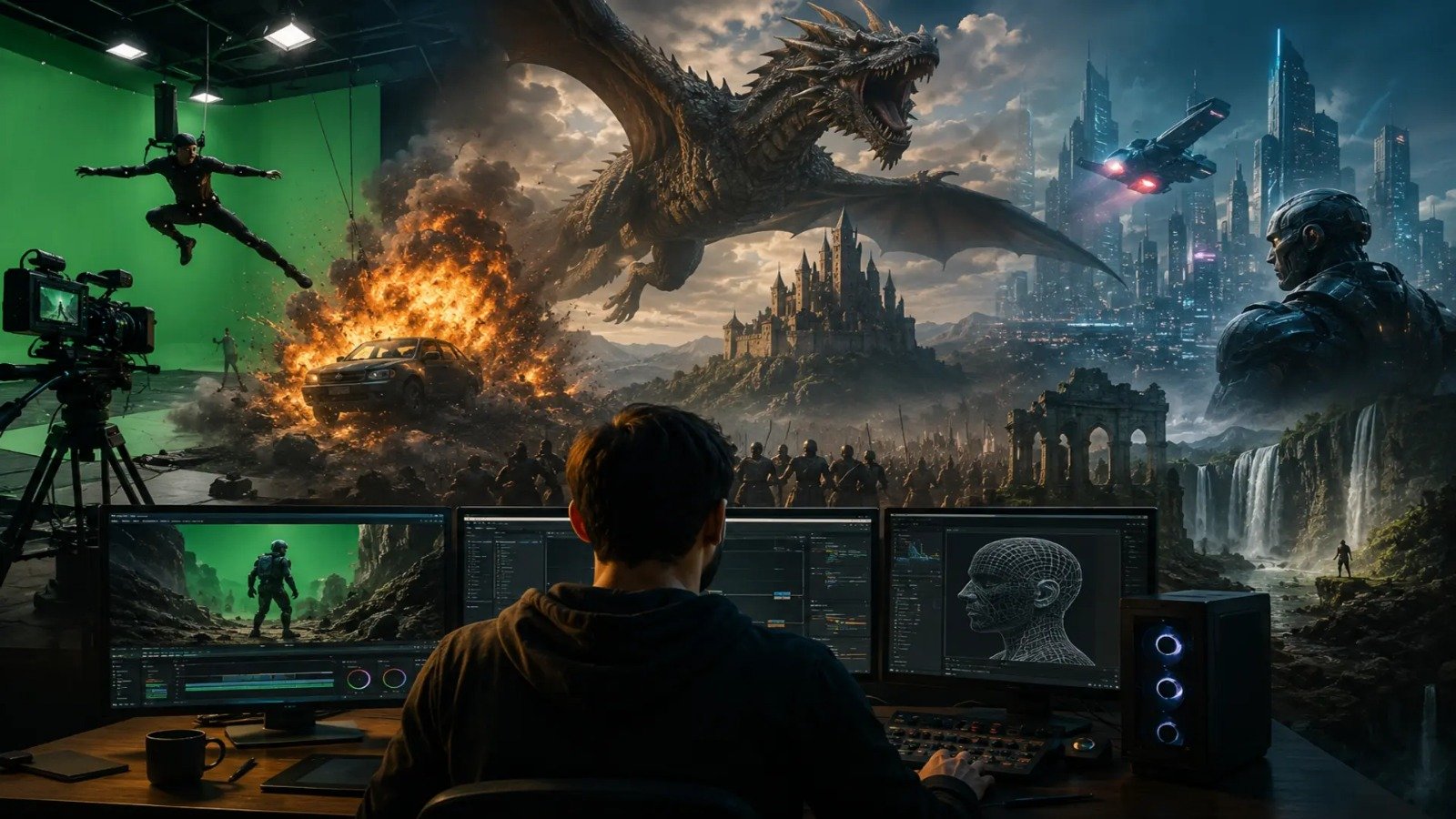
VFX : The Magic Behind Today’s Most Stunning Visual Stories VFX : The Magic Behind Today’s Most Stunning Visual Stories If you’ve ever dreamed of becoming an animator, you might be wondering, “What skills do I really need?” The good news is that becoming a successful animator isn’t about being born with extraordinary talent. It’s about developing the right mix of creative thinking, technical knowledge, and a willingness to keep learning.Today, VFX is no longer limited to Hollywood blockbusters. From Bollywood action films to Netflix web series and YouTube originals, visual effects have become an essential part of modern filmmaking.As streaming platforms continue to grow, the demand for skilled VFX artists has increased dramatically. If you’re passionate about movies, creativity, and technology, learning VFX can open doors to exciting career opportunities. What is VFX? Visual Effects (VFX) is the process of creating, enhancing, or manipulating visuals that cannot be captured during live filming. It combines real-world footage with computer-generated imagery (CGI) and digital effects to create realistic, immersive, and visually stunning scenes. VFX artists use specialized software to add elements such as explosions, fire, smoke, weather effects, fantasy creatures, futuristic environments, and even entire cities that don’t exist in real life. It is also used for subtle improvements like removing unwanted objects, extending film sets, changing backgrounds, or enhancing lighting without the audience noticing.Common VFX techniques include: Green Screen (Chroma Key) CGI (Computer Generated Imagery) Motion Tracking 3D Animation Matte Painting Compositing Particle Effects (Fire, Smoke, Rain, Explosions) Digital Environment Creation Rotoscoping These techniques help filmmakers create worlds that would otherwise be impossible or extremely expensive to film. VFX in Bollywood Bollywood has embraced VFX in a big way over the last decade. Modern Indian films rely heavily on visual effects for action sequences, historical recreations, fantasy worlds, and realistic CGI.Popular examples include:Brahmāstra In Brahmāstra, advanced VFX was used to create magical weapons, glowing energy effects, mythical worlds, and spectacular action sequences. VFX played a major role in bringing the film’s fantasy elements to life, making the supernatural powers and large-scale destruction look realistic and visually stunning.Baahubali Series Although produced in Telugu cinema, Baahubali showcased India’s world-class VFX capabilities through massive kingdoms, breathtaking waterfalls, and epic battle sequences. Advanced CGI was used to create realistic environments, thousands of digital soldiers, and larger-than-life action scenes that captivated audiences worldwide.RRR Many action scenes involving animals, explosions, and large crowds were enhanced using VFX to create a larger-than-life cinematic experience. Advanced CGI and compositing were used to seamlessly blend realistic visual effects with live-action footage, making the film’s high-energy sequences more immersive and visually spectacular. Today, almost every major Bollywood production uses VFX for: Background replacement Wire removal Crowd duplication Set extensions Action enhancements Weather effects Digital makeup VFX in Hollywood Hollywood has been leading the VFX industry for decades. Movies that seem impossible to create in real life become believable through cutting-edge visual effects.Examples include:Avatar In Avatar, the breathtaking world of Pandora, its creatures, and lush environments were created entirely using advanced CGI. Motion capture technology captured the actors’ performances and transformed them into realistic digital characters, making VFX the key element in creating the film’s immersive world and lifelike visual storytelling.Avengers Series Superhero powers, alien worlds, portals, explosions, and large-scale battles are all powered by VFX. In the Avengers films, VFX is used to create incredible superhero powers, alien worlds, magical portals, and massive battle sequences that would be impossible to film in real life. These visual effects make every action scene feel realistic, immersive, and larger than life.Jurassic World Dinosaurs are brought to life through realistic CGI animation and compositing. In Jurassic World, lifelike dinosaurs are created using advanced CGI animation, where artists model, animate, and texture each creature with realistic details. These digital dinosaurs are then seamlessly composited with live-action footage, along with lighting, shadows, and visual effects, making them appear as if they truly exist in the real world.Hollywood productions often require thousands of VFX artists working across multiple countries, including India. VFX in OTT Platforms The rise of OTT platforms such as Netflix, Amazon Prime Video, Disney+, JioHotstar, and others has created an enormous demand for VFX professionals. As audiences expect high-quality visuals and cinematic storytelling, OTT platforms invest heavily in VFX-rich web series and films. From creating realistic environments and action sequences to enhancing fantasy worlds and invisible effects, VFX plays a crucial role in modern streaming content. This growing demand has opened up exciting career opportunities for VFX artists, compositors, animators, and CGI specialists across the entertainment industry. Unlike traditional films, OTT platforms release content throughout the year, including: Web series Crime dramas Fantasy shows Historical dramas Science fiction Action thrillers Documentary recreations Even scenes that look “normal” often include invisible VFX, such as: Removing unwanted objects Changing skies Extending buildings Adding crowds Enhancing lighting Digital clean-up This means VFX artists are needed not only for fantasy films but also for everyday storytelling. Why is VFX Becoming More Important? The entertainment industry is evolving rapidly, and audiences expect high-quality visuals.Some reasons why VFX demand continues to grow include: More OTT content production Bigger action films Fantasy storytelling Virtual production technology Gaming and cinematic trailers Advertising and digital marketing YouTube and social media content As technology advances, skilled VFX professionals are becoming valuable across multiple industries. Career Opportunities in VFX Learning VFX can lead to careers such as: VFX Artist Compositor Roto Artist Matchmove Artist Motion Graphics Designer CGI Artist 3D Environment Artist Lighting Artist FX Artist Unreal Engine Artist Virtual Production Artist Skills You’ll Learn in a Professional VFX Course A comprehensive VFX program typically covers: Adobe After Effects Adobe Premiere Pro Blender Autodesk Maya Nuke Compositing Green Screen Techniques Motion Tracking Camera Tracking Rotoscoping Compositing 3D Lighting Rendering Portfolio Development Practical projects help students build the confidence and skills required for the industry.Visual Effects have transformed the entertainment industry. From blockbuster movies and high-end advertisements to web series and digital content, VFX is everywhere.As demand continues to rise across Bollywood, Hollywood, and OTT

How to Prepare for Your First Creative Industry Job Interview
How to Prepare for Your First Creative Industry Job Interview Getting your first interview call is an exciting moment. After spending months learning new software, building projects, and creating your portfolio, this is your chance to step into the professional world.But it’s also completely normal to feel nervous. Questions like “Will they like my portfolio?”, “What if they ask something I don’t know?” or “Am I good enough?” cross almost every student’s mind before their first interview. The good news is that creative companies don’t expect freshers to know everything. They understand you’re just starting your career. What they really look for is your creativity, willingness to learn, problem-solving ability, and passion for the field. If you’re preparing for your first interview in Animation, Graphic Design, Video Editing, VFX, Motion Graphics, or Game Design, these practical tips will help you feel more confident and make a positive impression. 1. Let Your Portfolio Tell Your Story In the creative industry, your portfolio is often more important than your resume. It gives interviewers a clear picture of your skills, creativity, and the way you think.Instead of adding every project you’ve ever made, choose the ones you’re genuinely proud of. Even if they’re college assignments or personal projects, make sure they showcase your best work.A strong portfolio may include: Graphic design projects Logo or branding concepts Animation showreels Video editing samples Motion graphics 3D models VFX breakdowns Personal creative experiments Remember, ten impressive projects are always better than thirty average ones. 2. Learn About the Company Before You Walk In One of the biggest mistakes students make is attending interviews without knowing anything about the company.Spend just 20–30 minutes researching: What services they offer Their recent projects Their clients Their social media pages Their work style When you understand the company, your answers become more relevant, and it shows that you’re genuinely interested in working there. 3. Refresh Your Software Skills You don’t need to know every shortcut or advanced feature, but you should be comfortable using the software related to your field.For example: Graphic Designers should revise Photoshop, Illustrator, and InDesign. Video Editors should be confident with Premiere Pro or DaVinci Resolve. Animation and VFX students should revise Maya, Blender, After Effects, or other tools they’ve learned. Game Design students should be familiar with Unity, Unreal Engine, or Blender. Interviewers may simply ask how you created one of your projects, so be ready to explain your workflow. 4. Be Ready to Talk About Your Projects Your interviewer will probably spend more time discussing your work than asking technical questions.They may ask: Which project was your favourite? What challenges did you face? How did you solve them? Which software did you use? If you could improve the project today, what would you change? There are no perfect answers. Just be honest and explain your creative process confidently. 5. Don’t Ignore the Basics Knowing software is important, but understanding design principles makes you a better creative professional.Depending on your field, revise topics like: Colour theory Typography Composition Layout design Storytelling The 12 Principles of Animation Lighting and camera angles Visual hierarchy Strong fundamentals help you solve creative problems much more effectively than simply knowing software tools. 6. Expect a Small Practical Test Many studios prefer seeing your skills in action.You might be asked to: Design a simple social media post Edit a short video Create a logo concept Animate a bouncing ball Remove an object from footage Create a quick UI layout Don’t panic if this happens. Interviewers usually want to understand your thinking process, not whether you create a masterpiece in thirty minutes. 7. Communicate with Confidence Creative professionals work with clients, teammates, and managers every day. That’s why communication matters.During the interview: Speak clearly. Listen carefully before answering. Be polite. Maintain eye contact. Don’t rush your answers. You don’t need to speak perfect English. Confidence, clarity, and honesty leave a much stronger impression. 8. It’s Okay to Say “I Don’t Know” Many students think they should answer every question, even when they don’t know the correct answer.Instead, it’s perfectly acceptable to say:”I haven’t worked on that yet, but I’m interested in learning it.”Interviewers appreciate honesty much more than guessing or pretending. 9. Dress Neatly and Be Punctual Creative companies often have a relaxed work culture, but professionalism still matters.Wear clean, comfortable clothes, arrive a little early, and carry yourself confidently. Simple things like being on time and looking well-prepared create a positive first impression. 10. Carry Everything You Need Before leaving for your interview, double-check that you have: Updated resume Portfolio or showreel Laptop (if requested) Charger Pen and notebook Any required certificates or documents Being organised reflects your professionalism. 11. Practice Common Interview Questions While every interview is different, some questions are asked almost everywhere.Practice answering: Tell me about yourself. Why did you choose this career? Why do you want to work with us? What are your strengths? What would you like to improve? Where do you see yourself in the future? You don’t need scripted answers—just speak naturally and honestly. 12. Show Your Passion Technical skills can be taught, but enthusiasm is difficult to teach.Employers love candidates who: Enjoy learning Keep improving their skills Stay curious Accept feedback positively Work well with others Have a genuine interest in creativity A positive attitude often leaves a lasting impression, especially for freshers.Every professional designer, animator, video editor, VFX artist, and game developer once attended their very first interview. Feeling nervous is completely normal.Instead of worrying about knowing everything, focus on presenting your best work, explaining your projects with confidence, and showing your willingness to learn.Remember, companies aren’t searching for someone who knows every software feature. They’re looking for creative individuals who are eager to grow, solve problems, and contribute to a team.With the right preparation, your first interview can become the first step towards an exciting and rewarding creative career.At CCA, Chinchwad (formerly known as Cosmos Creative Academy, Chinchwad), students don’t just learn software—they build industry-ready portfolios, work on practical projects,
What Skills Do You Need to Become a Successful Animator
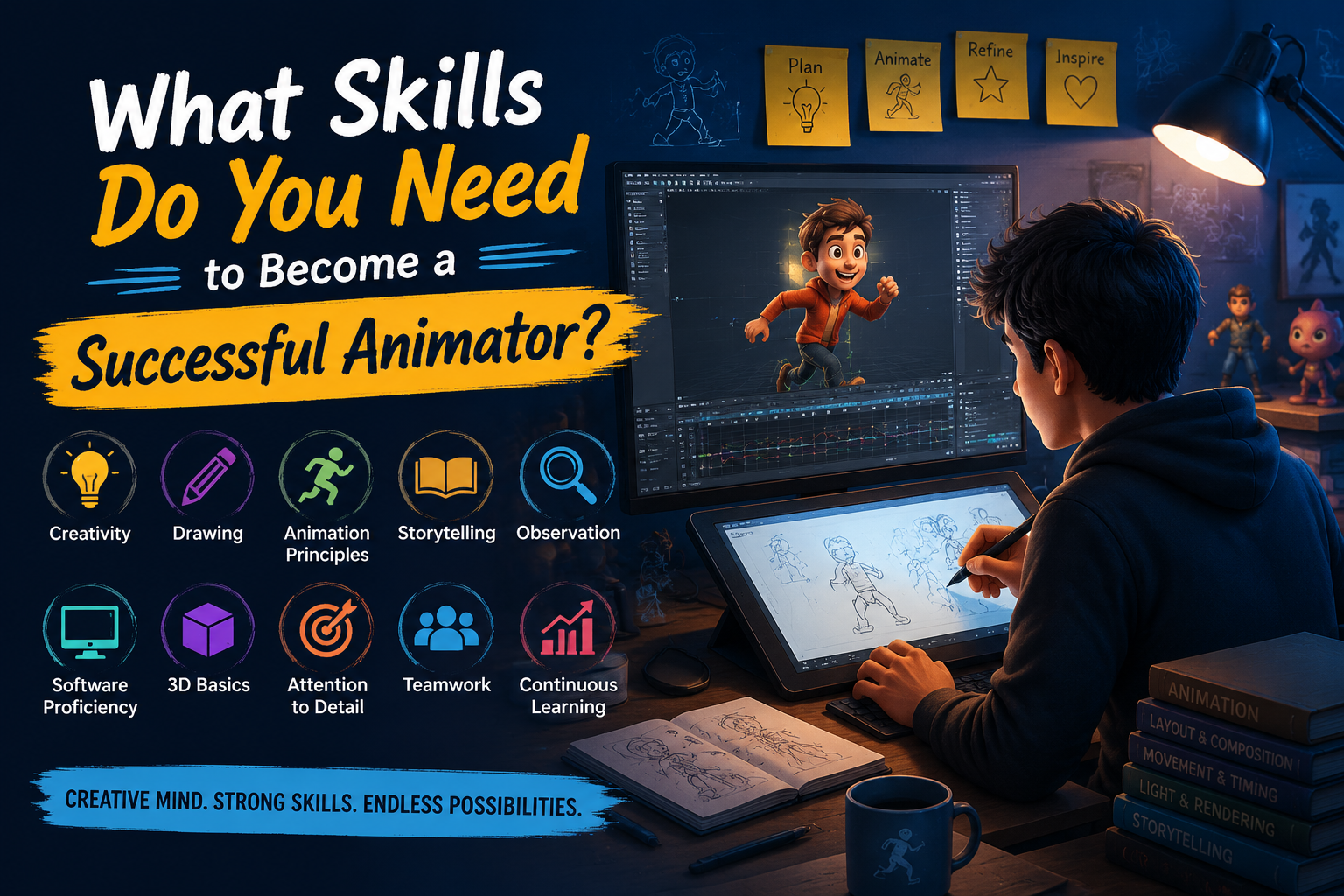
What Skills Do You Need to Become a Successful Animator? Animation is much more than making characters move on a screen—it’s about bringing stories, emotions, and imagination to life. Every animated movie, video game, advertisement, or web series you enjoy is the result of countless hours of creativity, technical expertise, and dedication. If you’ve ever dreamed of becoming an animator, you might be wondering, “What skills do I really need?” The good news is that becoming a successful animator isn’t about being born with extraordinary talent. It’s about developing the right mix of creative thinking, technical knowledge, and a willingness to keep learning. Let’s explore the essential skills every aspiring animator should build. Creativity and Imagination Every amazing animation begins with a simple idea. Creativity allows animators to imagine unique characters, exciting worlds, and memorable stories that audiences love. Whether you’re designing a funny cartoon character or creating an emotional movie scene, your imagination is your greatest strength. Great animators constantly ask themselves, “What if?” and use their creativity to transform ordinary ideas into extraordinary visuals. How to improve this skill: Observe people and nature. Watch animated films from different studios. Read books and comics. Keep a sketchbook for random ideas. Remember: Creativity grows the more you practice it. Strong Drawing and Sketching Skills You don’t have to be a professional artist to become an animator, but basic drawing skills make your journey much easier. Drawing helps you understand how characters are built, how they move, and how they express emotions. Even in 3D animation, many professionals begin by sketching ideas before moving to software. Focus on learning: Human anatomy Perspective Gesture drawing Facial expressions Composition These fundamentals help you create animations that feel natural and believable. Understanding the Principles of Animation The 12 Principles of Animation are considered the foundation of professional animation. Originally developed by Disney animators, these principles make movements feel smooth, realistic, and engaging. Some of the most important principles include: Squash and Stretch Timing and Spacing Anticipation Follow Through Slow In & Slow Out Exaggeration Appeal Think of these principles as the grammar of animation. Once you understand them, your animations instantly become more polished and professional. Storytelling Ability Animation is ultimately about telling stories. No matter how impressive your visuals are, they won’t leave a lasting impact unless they connect emotionally with the audience. A good animator understands: Character development Emotional expression Visual storytelling Scene composition Audience engagement Every movement should help tell the story and make viewers feel something. Observation Skills One of the biggest secrets of great animators is that they are excellent observers. They carefully watch how people walk, run, laugh, talk, and react to different situations. They also observe animals, nature, and everyday life to understand realistic movement. Try observing: Body language Facial expressions Animal movement Gravity and physics Daily human activities The more you observe the real world, the more believable your animations become. Software Proficiency Creativity is important, but knowing the right tools is equally essential. Professional studios use industry-standard software to create high-quality animations, and becoming comfortable with these tools can significantly improve your career opportunities. Becoming proficient with these applications not only improves your technical skills but also prepares you to work efficiently in a professional production pipeline. Familiarity with industry-standard software enhances your productivity, enables seamless collaboration with other artists, and significantly increases your employability and career opportunities in the animation, VFX, gaming, and multimedia industries. Popular software includes: Autodesk Maya Blender Adobe Animate Toon Boom Harmony Cinema 4D Unreal Engine Adobe After Effects Learning multiple tools gives you the flexibility to work on different types of projects. Basic Knowledge of 3D Modeling and Rigging Animation doesn’t happen in isolation. It is part of a larger production pipeline. While your primary focus may be animation, having a basic understanding of 3D modeling, rigging, texturing, lighting, and rendering is essential for becoming a well-rounded 3D artist. Knowing how models are created, how characters are rigged for movement, how textures add realistic details, and how lighting and rendering bring scenes to life helps you create better animations and collaborate more effectively with other artists. This foundational knowledge also improves problem-solving skills, streamlines the production process, and prepares you to work confidently in professional animation and VFX studios. Patience and Attention to Detail Animation is a process that demands patience, precision, and persistence. Creating just a few seconds of high-quality animation can take several hours—or even days—to complete. Every frame contributes to the final result, and even the smallest adjustments can significantly improve the realism, timing, and overall quality of the animation. Successful animators are: Patient – They understand that great animation takes time and are willing to refine their work until it meets professional standards. Persistent – They don’t give up when a scene becomes challenging and continuously work to improve their skills. Detail-Oriented – They pay close attention to movement, timing, expressions, and subtle details that bring characters and scenes to life. Dedicated to Continuous Improvement – They welcome feedback, learn from mistakes, and keep practicing to achieve better results with every project. Communication and Teamwork Large animation projects involve many talented professionals working together. From concept development to the final rendered output, every stage of production depends on effective coordination between different departments. As an animator, you will regularly communicate with artists, technical experts, and project managers to ensure that every scene aligns with the project’s creative vision and production requirements. Animators often work closely with: Storyboard artists Character designers Modelers Rigging artists Lighting artists VFX artists Editors Sound designers Strong communication and teamwork are essential in every animation studio. The ability to share ideas clearly, provide and accept constructive feedback, solve production challenges collaboratively, and meet project deadlines ensures a smooth workflow and contributes to the successful completion of high-quality animation projects. Problem-Solving Skills Every animation project comes with challenges. Sometimes a character’s movement doesn’t feel natural, a scene lacks the right timing, or technical issues slow down the workflow. Instead of getting
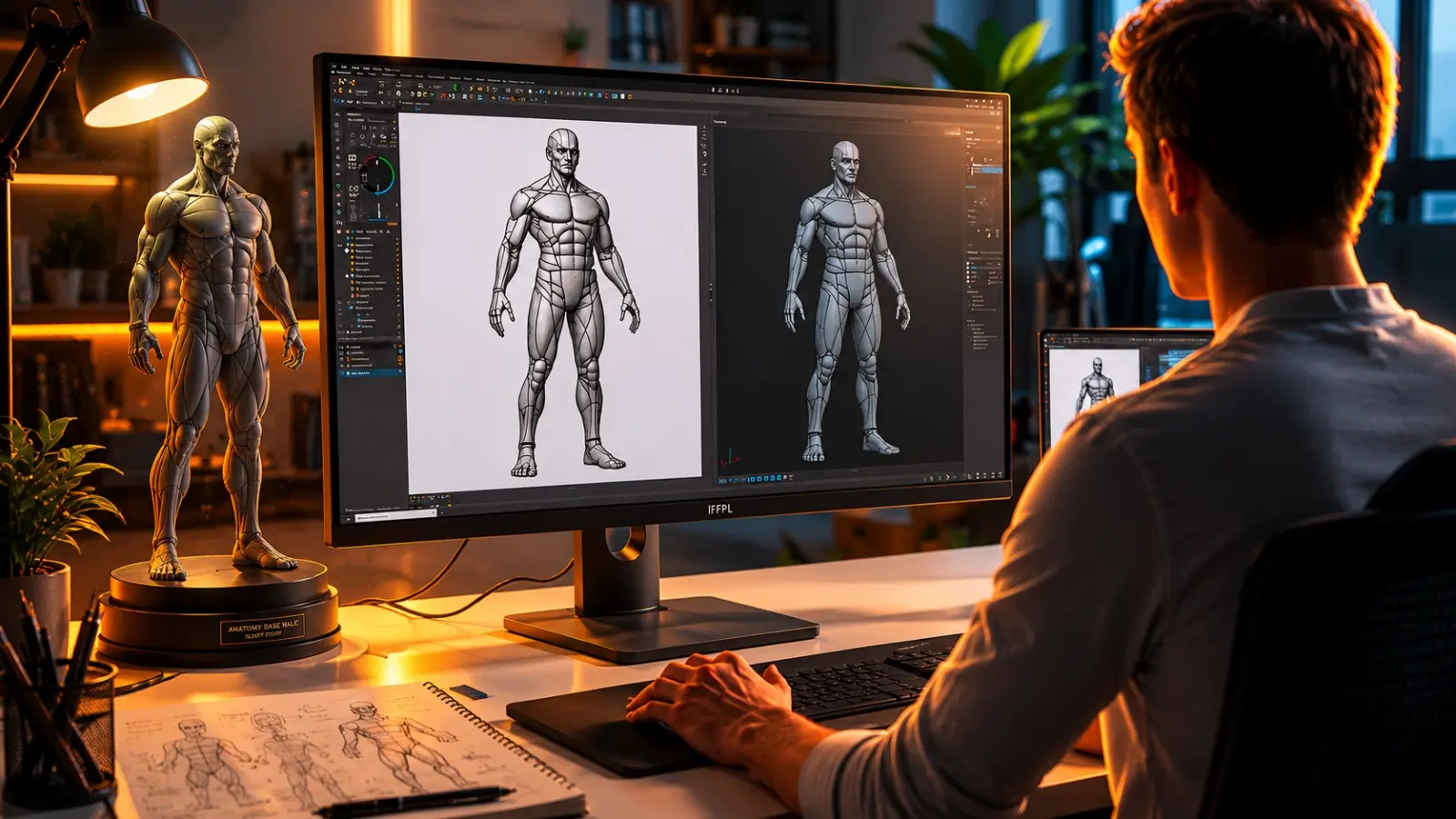
From Concept to Creation: The World of 3D Animation
From Concept to Creation: The World of 3D Animation In today’s digital world, 3D animation is everywhere—from blockbuster movies and video games to advertisements, product visualizations, architectural walkthroughs, and medical simulations. If you’ve ever watched a realistic animated movie or played a modern video game, you’ve already experienced the power of 3D animation.3D animation is the process of creating moving objects and characters in a three-dimensional digital environment. Unlike traditional 2D animation, 3D animation adds depth, making characters and objects appear lifelike and realistic. Artists create digital models, animate them, apply textures and lighting, and render them into high-quality visuals. How Does 3D Animation Work? Concept & Storyboarding: Every 3D animation project begins with an idea or story. Artists create rough sketches and storyboards to plan the scenes, camera angles, and sequence of events before production starts. 3D Modeling: In this stage, artists create three-dimensional digital objects such as characters, vehicles, buildings, and environments. These models serve as the foundation of the entire animation project. Texturing: Texturing involves applying colors, patterns, and materials to 3D models to make them look realistic. It gives surfaces details such as skin, wood, metal, fabric, or glass. Rigging: Rigging is the process of adding a digital skeleton and controls inside a 3D character or object. This allows animators to move characters naturally, just like bones help humans move. Animation: Animators bring characters and objects to life by creating movement using keyframes. They carefully adjust poses, expressions, and timing to make every action look smooth and believable. Lighting: Virtual lights are placed in the scene to create depth, shadows, reflections, and mood. Proper lighting enhances realism and helps direct the viewer’s attention to important elements. Rendering: Rendering is the process where the computer converts the 3D scene into high-quality images or videos. During rendering, it calculates lighting, textures, shadows, reflections, and visual effects to produce the final output. Post-Production: The final rendered animation is enhanced with editing, sound effects, background music, voiceovers, and color correction. This stage gives the animation a polished, professional look ready for release. Where is 3D Animation Used? 3D animation is used across a wide range of industries, making it one of the most versatile creative technologies today. It powers animated films and TV shows by bringing characters and stories to life, while the gaming industry uses it to create realistic characters, environments, and gameplay experiences. Beyond entertainment, 3D animation is widely used in advertising and marketing for product promotions, architecture and interior design for realistic building walkthroughs, medical and educational fields for visual learning and simulations, and manufacturing for product visualization and industrial demonstrations. Its ability to present ideas in an engaging and realistic way makes it valuable across many professions. Skills Required Creativity Observation skills Basic computer knowledge Problem-solving Patience Storytelling Attention to detail Why Choose 3D Animation? Creativity Observation skills Basic computer knowledge Problem-solving Patience Storytelling Attention to detail Popular Software Autodesk Maya – Industry-standard software for 3D modeling, animation, rigging, and visual effects. Blender – A free, open-source tool for modeling, animation, sculpting, rendering, and video editing. 3ds Max – Popular software for architectural visualization, game asset creation, and product design. Cinema 4D – Widely used for motion graphics, broadcast design, and professional 3D animation. ZBrush – Advanced digital sculpting software for creating highly detailed characters and creatures. Substance Painter – Industry-leading software for creating realistic textures and materials for 3D models. Unreal Engine – A real-time 3D engine used for game development, virtual production, and architectural visualization. Unity – A powerful game engine used to develop 2D, 3D, AR, and VR applications across multiple platforms. Career Opportunities The 3D animation industry offers a wide range of exciting career opportunities across films, gaming, advertising, architecture, and digital media. With the right skills and a strong portfolio, professionals can work in studios, production houses, gaming companies, or as freelancers worldwide. 3D Animator – Creates realistic movements for characters, objects, and scenes. Character Animator – Brings digital characters to life with expressions and natural movements. Modeling Artist – Designs and builds 3D characters, props, vehicles, and environments. Texture Artist – Applies realistic colors, materials, and surface details to 3D models. Lighting Artist – Creates lighting setups that enhance mood, depth, and visual quality. Rigging Artist – Builds digital skeletons and controls that allow characters to move naturally. Environment Artist – Designs realistic backgrounds, landscapes, and virtual worlds. Game Artist – Creates characters, environments, and assets for video games. VFX Artist – Produces visual effects such as explosions, smoke, fire, water, and simulations. Motion Graphics Designer – Designs animated graphics, titles, logos, and promotional videos. Architectural Visualizer – Creates realistic 3D building models and walkthroughs for architects and real estate projects. 3D animation combines creativity and technology to bring ideas to life. With dedication, practice, and the right guidance, anyone passionate about creativity can build a successful career in this exciting field. Start Your Creative Journey with CCA Chinchwad At CCA Chinchwad, we offer industry-focused 3D Animation & VFX training with practical projects, expert mentorship, and portfolio development. Whether you are a beginner or looking to upgrade your skills, our programs are designed to prepare you for a successful career in the animation industry.Turn Your Imagination into Reality. Start Your 3D Animation Journey with CCA Chinchwad Today!At CCA Chinchwad, talent has no age limit and creativity knows no educational boundaries. Industry-focused training programs are designed for students, graduates, job seekers, and working professionals so that students can build successful careers in animation, graphic design, VFX, video editing, gaming, motion graphics, and other creative fieldsTake the first step today and turn your passion into a profession with CCA Chinchwad—because creativity has no limits, and neither should your ambitions.With Cosmos Creative Academy Chinchwad, Your future in design and animation starts today.Because in the creative world, your skills speak louder than your marks.Explore our courses ↗Cosmos Creative Academy · Chinchwad, Pune · cosmoscreativeacademy.in Contact Us 📍 Cosmos Creative Academy, Chinchwad P-430/431, Phase I, Mayur Trade Center, Pimpri-Chinchwad, Maharashtra – 411019 📞 +91-87676
Does Age and Educational Background Matter For Learning Animation, Graphics, Video Editing VFX, and Gaming?
Does Age and Educational Background Matter For Learning Animation, Graphics, Video Editing VFX, and Gaming? Your Passion Matters More Than Your Age or Degree Many students and professionals often hesitate to pursue a career in animation, graphic design, VFX, video editing, or gaming because they believe they are either too old or lack the right educational background. Questions like “Can I learn animation after graduation?”, “Is graphic design only for Arts students?”, or “Can I switch from engineering or commerce to a creative career?” are very common. The good news is that the creative industry has evolved significantly, and today, success depends far more on your skills, creativity, and dedication than on your age or academic qualifications. Age Is Never a Barrier to Learning Creativity One of the biggest misconceptions is that animation and design are careers meant only for young students. In reality, creativity has no age limit. Many successful designers, video editors, and VFX artists have started their careers after completing college, changing professions, or even after spending years in completely different industries. Employers and clients rarely ask when you started learning—they are more interested in what you can create. If you have the enthusiasm to learn and the determination to improve, you can begin your creative journey at any stage of life. Educational Background Is Not the Deciding Factor Another common myth is that only students from an Arts background can succeed in creative fields. However, animation, graphics, VFX, and gaming welcome learners from every educational stream. Whether you have studied Science, Commerce, Arts, Engineering, Management, or any other discipline, you can build a successful career by learning the necessary software and practical skills. Modern training programs are designed to teach concepts from the basics, making them accessible even to complete beginners. You Don’t Need to Be an Excellent Artist Many aspiring students avoid creative courses because they think they must be exceptional at drawing. While sketching skills can certainly be useful for illustration or character design, they are not essential for many career paths in the industry. Graphic designers, video editors, motion graphics artists, VFX compositors, UI/UX designers, and 3D modelers often rely more on creativity, software proficiency, and visual thinking than on hand-drawing abilities. Today’s advanced tools make it possible to produce outstanding work without being a professional artist. What Truly Determines Success? The most successful professionals in the creative industry are not necessarily those with the highest qualifications but those who continuously learn and practice. Curiosity, creativity, patience, and consistency play a much bigger role than age or degrees. The ability to observe details, solve visual problems, accept feedback, and stay updated with evolving technologies helps individuals grow faster in their careers. Every project completed and every mistake corrected becomes a stepping stone toward mastery. Starting Early Can Be Beneficial, But It’s Never Too Late Students who begin learning after their 10th or 12th standard often have the advantage of building skills and portfolios at an early age. They can gain practical experience through internships and freelance projects while continuing their education. However, this does not mean that others have missed their opportunity. College students, graduates, and even working professionals can successfully enter the creative industry by dedicating time to learning and practicing. The timing of your start is less important than your commitment to continuous improvement. Combining Creative Skills with Higher Education Many college students today choose to learn animation or graphic design alongside their degree programs. A Commerce student may become a graphic designer, an Engineering graduate may pursue UI/UX design, or a Business student may specialize in video editing and motion graphics. This combination of academic knowledge and creative expertise often makes candidates more versatile and attractive to employers. It also provides additional career opportunities beyond traditional job roles. Career Switching Is More Common Than Ever The rapid growth of digital media has encouraged many professionals to change careers and move into creative industries. People working in IT, banking, sales, education, marketing, and administration have successfully transitioned into graphic design, VFX, animation, and video editing. With structured training, dedication, and practical experience, career changers can establish themselves in these fields and enjoy exciting opportunities that align with their interests and creativity. Your Portfolio Speaks Louder Than Your Marks Unlike many conventional professions where academic scores dominate hiring decisions, the creative industry focuses heavily on portfolios. Employers want to see your ability to solve problems, communicate visually, and create engaging content. A strong portfolio showcasing original projects often has a greater impact than your educational qualifications or percentage marks. It demonstrates your creativity, technical knowledge, and commitment to the craft, making it one of the most valuable assets in your career. The Rise of AI Makes Learning Even More Exciting Artificial Intelligence is transforming the world of design and animation by automating repetitive tasks and accelerating workflows. AI-powered tools can generate images, assist with editing, remove backgrounds, and enhance productivity. However, they cannot replace human imagination, storytelling, artistic judgment, or emotional expression. Instead, AI has become a powerful assistant that allows creative professionals to focus more on innovation and originality. Those who combine traditional design skills with AI knowledge will have a significant advantage in the future job market. Endless Career Opportunities Await The creative industry offers a wide range of career paths regardless of your age or educational background. Skilled professionals can work as graphic designers, motion graphics artists, video editors, VFX artists, 2D and 3D animators, game artists, UI/UX designers, brand designers, content creators, freelancers, or even entrepreneurs. Opportunities exist across advertising agencies, film studios, gaming companies, digital marketing firms, educational platforms, television production houses, and multinational corporations. The demand for creative talent continues to grow as businesses increasingly rely on visual communication.When it comes to learning animation, graphics, VFX, video editing, or gaming, age and educational background are not the deciding factors—your passion, dedication, and willingness to learn are. The creative industry welcomes people from all walks of life because it values practical skills, innovative thinking, and strong
How Motion Graphics Is Dominating Digital Marketing and Social Media
How Motion Graphics Is Dominating Digital Marketing and Social Media In the modern digital era, businesses are competing for one valuable resource: people’s attention. Every day, users scroll through hundreds of posts, advertisements, videos, and stories across social media platforms. To stand out in this crowded environment, brands need content that is visually appealing, engaging, and easy to understand. This is where Motion Graphics has become a game-changer.Motion graphics combine graphic design, animation, typography, visual effects, and storytelling to create dynamic visual content. Unlike static images, motion graphics add movement and life to designs, making them more effective at capturing attention and communicating messages. Today, motion graphics have become one of the most powerful tools in digital marketing and social media marketing. Why Motion Graphics Are So Effective 1. They Capture Attention Instantly Research shows that people make decisions about content within just a few seconds. Animated visuals naturally attract the human eye because our brains are programmed to notice movement. When users are scrolling through social media feeds, a well-designed motion graphic can immediately stop them and encourage them to watch.Whether it is an animated logo, a promotional video, or a product advertisement, motion graphics help brands stand out from competitors and increase viewer engagement. 2. They Simplify Complex Information Many products, services, and concepts can be difficult to explain using text alone. Motion graphics make it easier to communicate complex ideas through visual storytelling.Examples include: Software demonstrations Financial services explanations Healthcare information Educational content Technical product features By combining illustrations, icons, animation, and text, businesses can explain their message quickly and effectively. 3. Higher Engagement on Social Media Social media platforms favor video content because users spend more time watching videos than viewing static posts. Motion graphics are widely used for: Instagram Reels Facebook advertisements YouTube promotions LinkedIn marketing videos Story content Product launches Event promotions Animated content often receives: More likes More comments More shares Better reach Higher watch time This increased engagement helps brands grow their online presence and reach larger audiences. Motion Graphics in Digital Marketing Brand Awareness Campaigns Motion graphics help businesses create memorable brand experiences. Animated logos, brand reveal videos, and promotional content help customers recognize and remember a company.Strong visual branding creates: Better customer recall Increased trust Stronger market presence Professional image Product Marketing Businesses use motion graphics to showcase product features, benefits, and uses in an attractive manner. Instead of displaying a simple product image, animated videos can demonstrate how the product works and why customers should buy it.Examples: Mobile app demonstrations Electronics advertisements Fashion promotions Food and beverage campaigns E-commerce product showcases Explainer Videos Explainer videos are among the most popular applications of motion graphics. Companies use them to educate customers about products, services, or processes.Benefits: Easy understanding Improved customer education Higher conversion rates Better audience retention Digital Advertising Online advertisements have become increasingly competitive. Motion graphics help brands create eye-catching ads for: Google Ads YouTube Ads Social Media Ads Display Advertising OTT Platforms Animated advertisements generally perform better because they attract attention and communicate messages quickly. The Rise of Short-Form Video Content One of the biggest reasons for the growth of motion graphics is the popularity of short-form video content.Modern consumers prefer: Quick information Fast entertainment Visual storytelling Motion graphics are ideal for creating: 15-second advertisements Instagram Reels YouTube Shorts Social media stories Promotional snippets Brands are investing heavily in these formats because they deliver strong engagement and excellent return on investment. Motion Graphics and Storytelling People connect with stories more than advertisements. Motion graphics allow businesses to tell stories in creative and emotional ways.Effective storytelling can: Build emotional connections Increase customer loyalty Improve brand perception Encourage purchasing decisions A simple animated story can communicate a brand’s values, mission, and benefits much more effectively than text alone. Industries Using Motion Graphics Today, motion graphics are being used across nearly every industry: Advertising and Marketing Commercial advertisements Social media campaigns Brand promotions Education E-learning videos Online courses Educational animations Healthcare Medical explanations Patient education videos Healthcare awareness campaigns Technology Software demonstrations Product launches User tutorials Entertainment Film titles Music videos Streaming content Corporate Communication Company presentations Training videos Internal communications Career Opportunities in Motion Graphics As digital content consumption continues to grow, companies are actively hiring motion graphics professionals.Popular career roles include: Motion Graphics Designer 2D Animator Visual Effects Artist Video Editor Digital Content Creator Social Media Designer Advertising Creative Designer Multimedia Artist Brand Content Designer Professionals skilled in software such as: Adobe After Effects Adobe Premiere Pro Adobe Illustrator Adobe Photoshop Cinema 4D Blender are in high demand across advertising agencies, digital marketing companies, media houses, production studios, and freelance marketplaces. The Future of Motion Graphics The future of motion graphics looks extremely promising. With the growth of: Artificial Intelligence (AI) Virtual Reality (VR) Augmented Reality (AR) Interactive Media Digital Advertising motion graphics will continue to play a central role in how brands communicate with audiences.Businesses increasingly prefer video-first marketing strategies, making motion graphics one of the most valuable creative skills for the future.Motion graphics have transformed the way brands communicate online. They capture attention, simplify complex ideas, increase engagement, and help businesses tell their stories more effectively. In a world where people consume content faster than ever before, motion graphics offer the perfect combination of creativity and communication.For students and aspiring designers, learning motion graphics is more than just acquiring a software skill—it is developing the ability to create content that informs, inspires, and connects with people. As digital marketing continues to grow, motion graphics will remain one of the most valuable and in-demand creative skills of the future.At Cosmos Creative Academy, Chinchwad, students are trained in industry-relevant tools and techniques used in modern motion graphics, animation, and digital content creation. Through practical learning and creative projects, Cosmos helps students build the skills needed to succeed in today’s fast-growing digital media and marketing industry.With Cosmos Creative Academy Chinchwad, Your future in design and animation starts today.Because in the creative world, your skills speak louder than your marks.Explore
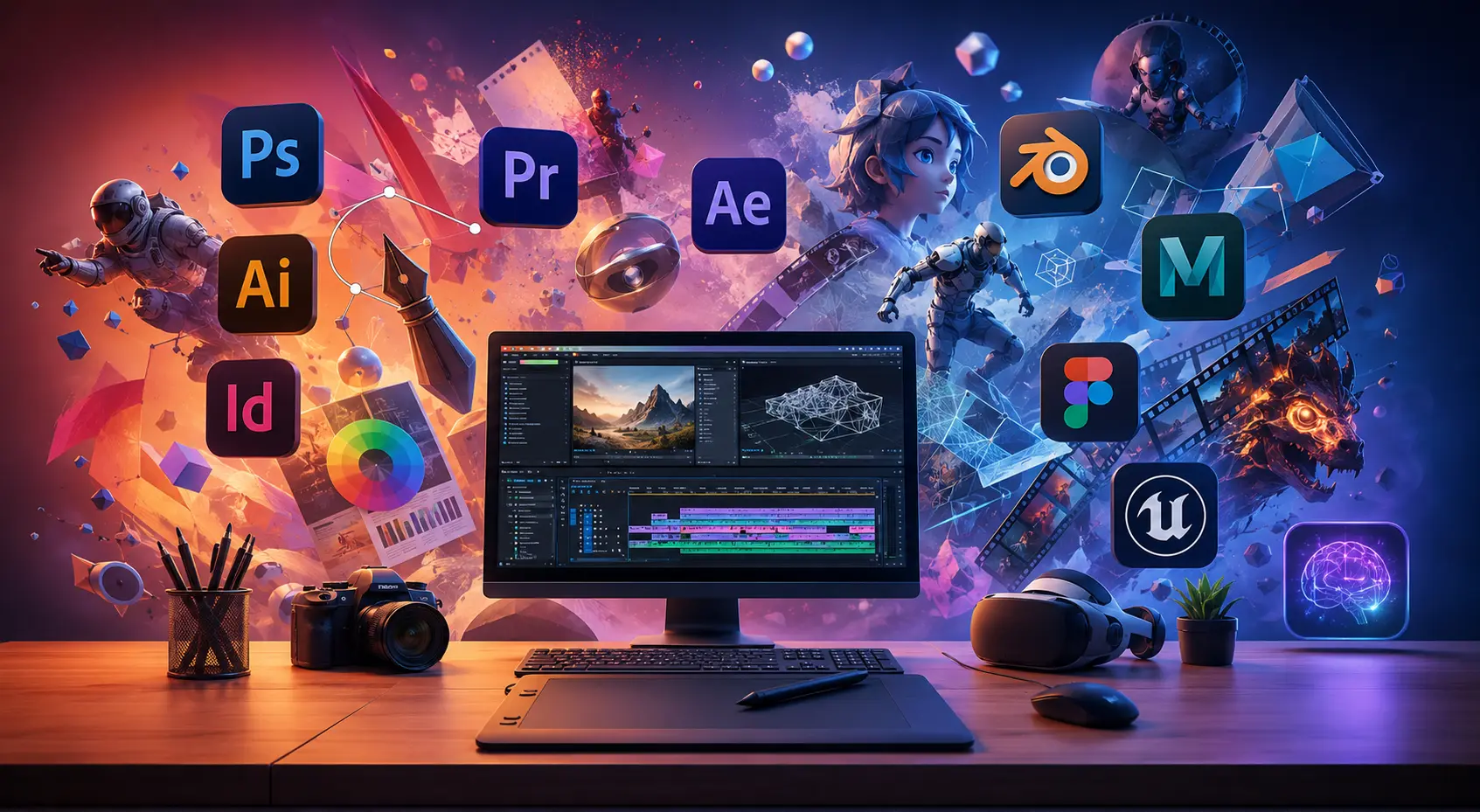
Essential Software Every Design & Animation Student Must Learn in 2026
Essential Software Every Design & Animation Student Must Learn in 2026 The world of design and animation is more exciting today than ever before. Every day, we see stunning advertisements, engaging social media content, animated films, video games, websites, and AI-generated artwork that inspire millions of people around the globe. Behind all this creativity are talented designers and artists who know how to use the right tools.If you’re a student dreaming of a career in graphic design, animation, video editing, VFX, gaming, or UI/UX design, learning professional software is one of the smartest investments you can make in your future.The good news is that you don’t need a huge studio or expensive equipment to get started. With a computer, creativity, and the right software, you can build amazing projects, develop your portfolio, and prepare yourself for a successful career in the creative industry. Let’s explore the essential software every design and animation student should learn in 2026. Adobe Photoshop: Where Every Creative Journey Begins Ask almost any designer which software they started with, and chances are they’ll say Photoshop.Adobe Photoshop has been the foundation of digital design for many years, and it continues to be one of the most important tools in the creative industry. Whether you’re editing photos, creating social media posts, designing posters, or producing digital artwork, Photoshop gives you the freedom to bring your ideas to life.For students, Photoshop is much more than an editing tool. It’s where you learn important design concepts such as layers, color correction, image manipulation, and visual composition. These skills become the building blocks for almost every creative career.Even with the rise of AI-powered design tools, Photoshop remains an essential skill for anyone serious about becoming a professional designer. Adobe Illustrator: Turning Creativity into Strong Brands Have you ever wondered how famous logos stay perfectly sharp on everything from business cards to giant billboards?The answer lies in vector graphics, and Adobe Illustrator is the industry leader in this space.Illustrator is widely used for logo design, branding, packaging, illustrations, typography, and icon creation. It allows designers to create artwork that can be resized without losing quality.For students interested in branding and visual identity design, Illustrator is an invaluable tool that can help transform simple ideas into professional-looking designs. Adobe InDesign: The Art of Beautiful Layouts Great design isn’t only about creating attractive graphics—it’s also about presenting information clearly and effectively.Adobe InDesign is the preferred software for designing magazines, brochures, books, catalogs, reports, and other publications. It helps designers combine text, images, and graphics into clean, professional layouts.While many students focus only on Photoshop and Illustrator, learning InDesign can open additional career opportunities in publishing, print media, and corporate communications. Adobe Premiere Pro: The Storytelling Tool of the Digital Age Video content has become one of the most powerful forms of communication in today’s world.From YouTube videos and Instagram reels to corporate advertisements and documentaries, video is everywhere. Adobe Premiere Pro helps creators transform raw footage into engaging visual stories.Learning Premiere Pro allows students to develop valuable skills in video editing, color correction, audio enhancement, and content production. As businesses continue investing heavily in video marketing, skilled editors are becoming increasingly valuable. Adobe After Effects: Bringing Motion to Creativity Sometimes a static image isn’t enough. Motion captures attention, creates excitement, and tells stories in ways that still images cannot.Adobe After Effects is the industry-standard software for motion graphics, visual effects, and animation. Whether it’s an animated logo, an explainer video, or cinematic effects in a film, After Effects helps designers create content that moves and engages audiences.For students who love creativity and storytelling, learning motion graphics can significantly expand career opportunities. Blender: The Future of 3D Design The demand for 3D content is growing rapidly across industries such as gaming, advertising, architecture, animation, and product design.Blender has become one of the most popular 3D software applications because it offers professional-quality tools completely free of cost.Students can use Blender to create 3D models, animations, visual effects, product renders, and digital sculptures. As 3D content becomes increasingly important, Blender offers an excellent opportunity to develop future-ready skills without expensive software subscriptions. Autodesk Maya: The Professional Animator’s Choice When you watch animated films or play modern video games, there’s a good chance Autodesk Maya played a role in bringing those characters and worlds to life.Maya is widely used by professional studios for character animation, rigging, simulations, and advanced 3D workflows. It remains one of the most respected tools in the animation and gaming industries.For students aspiring to work in professional studios, Maya continues to be a highly valuable skill that employers recognize and respect. Figma: Designing Better Digital Experiences Today’s businesses don’t just need attractive websites and apps—they need experiences that users enjoy and understand.Figma has quickly become one of the most popular tools for UI and UX design because it allows teams to collaborate in real time while creating interfaces, prototypes, and design systems.As digital products continue to dominate our daily lives, UI/UX designers are among the most in-demand creative professionals. Learning Figma can open doors to exciting opportunities in product design and user experience. Unreal Engine: Building the Worlds of Tomorrow Unreal Engine is no longer just a game development tool. Today it’s being used in animation, architecture, virtual production, filmmaking, and immersive experiences.Its real-time rendering technology allows creators to build incredibly realistic environments and interactive experiences faster than ever before.As industries increasingly adopt virtual production and real-time workflows, Unreal Engine is becoming one of the most valuable tools for future-focused creators. AI Tools: Your Creative Partner, Not Your Competitor Artificial Intelligence is transforming the creative industry, but it’s not replacing creativity—it’s enhancing it.Tools like Adobe Firefly, Midjourney, Runway, and ChatGPT are helping designers generate ideas, speed up workflows, create concepts, and automate repetitive tasks.The designers who succeed in the future will be those who learn how to combine human creativity with AI-powered efficiency. Understanding prompt writing and AI-assisted design is quickly becoming an important skill for every creative professional. Building Your Learning Journey
Why Practical Training Matters More Than Theory in Creative Careers
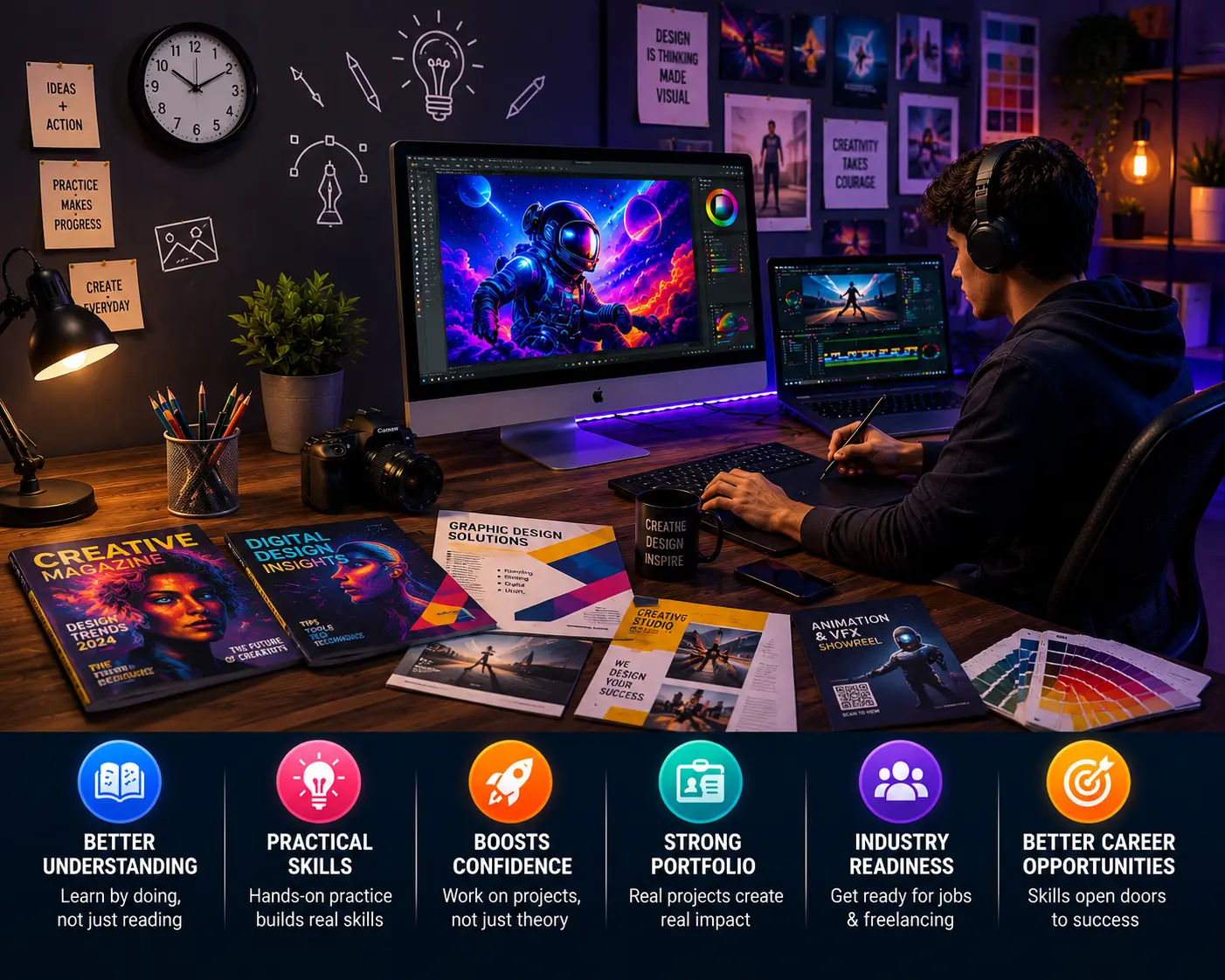
Why Practical Training Matters More Than Theory in Creative Careers The creative industry is evolving faster than ever. Today, companies don’t just look for students with certificates — they look for creators who can deliver real results.In fields like graphic design, video editing, animation, VFX, UI/UX, digital marketing, and 3D design, practical skills matter far more than theoretical knowledge. Knowing concepts is important, but the ability to create professional-quality work is what truly builds a successful career. The Creative Industry Runs on Skills, Not Just Knowledge You can read books about design principles, color theory, editing techniques, or animation workflows — but real learning begins when you start creating. For example: Anyone can learn what layers are in Photoshop. But practical training teaches how to design real advertisements, social media creatives, posters, branding materials, and client projects professionally. Similarly: Watching tutorials about video editing is easy. But editing cinematic videos, syncing audio, adding effects, and delivering polished final outputs requires hands-on experience. Creative careers are built on: Practice Creativity Problem-solving Speed Experience Real execution And these skills develop only through practical training. Why Companies Prefer Skilled Creators In today’s competitive market, employers care more about what you can create than what you have memorized.A strong portfolio speaks louder than marksheets.Companies and clients want professionals who can: Handle live projects confidently Use industry software efficiently Meet deadlines Understand creative briefs Solve design problems Deliver high-quality work That’s why students with practical exposure often perform better in interviews and freelance opportunities compared to those who only focus on theory. Practical Learning Builds Confidence One of the biggest challenges students face is lack of confidence. Many students know the theory but struggle when asked to: Create a design from scratch Edit professional videos or reels for YouTube and social media Work on a client project within a given time Present creative ideas Handle software independently When students regularly work on: Live assignments Creative challenges Real-world projects Team activities Portfolio tasks …they naturally become more confident, creative, and industry-ready.Confidence comes from experience — not just classroom notes.. Creativity Grows Through Practice Creativity develops when students: Experiment with ideas Try different styles Learn from mistakes Explore new techniques Solve creative challenges Every project improves thinking ability and visual understanding. The more students practice, the sharper their creative skills become. That’s why practical learning plays a major role in building originality and innovation. Software Mastery Requires Hands-On ExperienceCreative tools are powerful — but mastering them requires continuous practice. Professional software like Adobe Photoshop, Adobe Premiere Pro, Adobe After Effects, Autodesk Maya, and Blender cannot be mastered by theory alone. Students become professionals only when they: Practice daily Work on real projects Learn shortcuts and workflows Handle technical problems Improve speed and efficiency Practical learning transforms beginners into industry-ready creators. Real Projects Prepare Students for Real Careers The creative industry works on deadlines, revisions, teamwork, and client expectations. Practical exposure teaches students: Professional workflow Time management Communication skills Project handling Creative decision-making Industry standards This helps students smoothly transition from learning to earning.Whether students want jobs, freelancing opportunities, or their own creative business — practical experience becomes their biggest strength. Portfolio Matters More Than Certificates A certificate may help students get noticed. But a portfolio gets them hired. When students work on practical assignments, they build: Graphic design portfolios Video editing showreels Animation projects Branding concepts UI/UX case studies Motion graphics work A powerful portfolio showcases creativity, skills, and professionalism — which is exactly what companies and clients want to see. The Future Belongs to Skilled Creators The digital and creative industry is growing rapidly, creating huge opportunities for skilled professionals. Students who focus on practical learning become: More employable More creative More confident More independent More career-ready That is why choosing a practical-based creative education is one of the smartest decisions for today’s generation.In creative careers, success comes from creating, experimenting, practicing, and building real-world experience. Students who learn through practical exposure gain stronger skills, better confidence, and greater career opportunities.At Cosmos Creative Academy Chinchwad, 80% Practical and 20% Theory from which students receive hands-on industry-oriented training designed to prepare them for successful careers in graphic design, animation, VFX, video editing, digital marketing, and multimedia. Because in the creative world, your skills speak louder than your marks.Explore our courses ↗Cosmos Creative Academy · Chinchwad, Pune · cosmoscreativeacademy.in Contact Us 📍 Cosmos Creative Academy, Chinchwad P-430/431, Phase I, Mayur Trade Center, Pimpri-Chinchwad, Maharashtra – 411019 📞 +91-87676 32890 ✉️ info@cosmoscreativechinchwad.com 🕐 Mon–Sat: 9:30 AM – 7:00 PM